
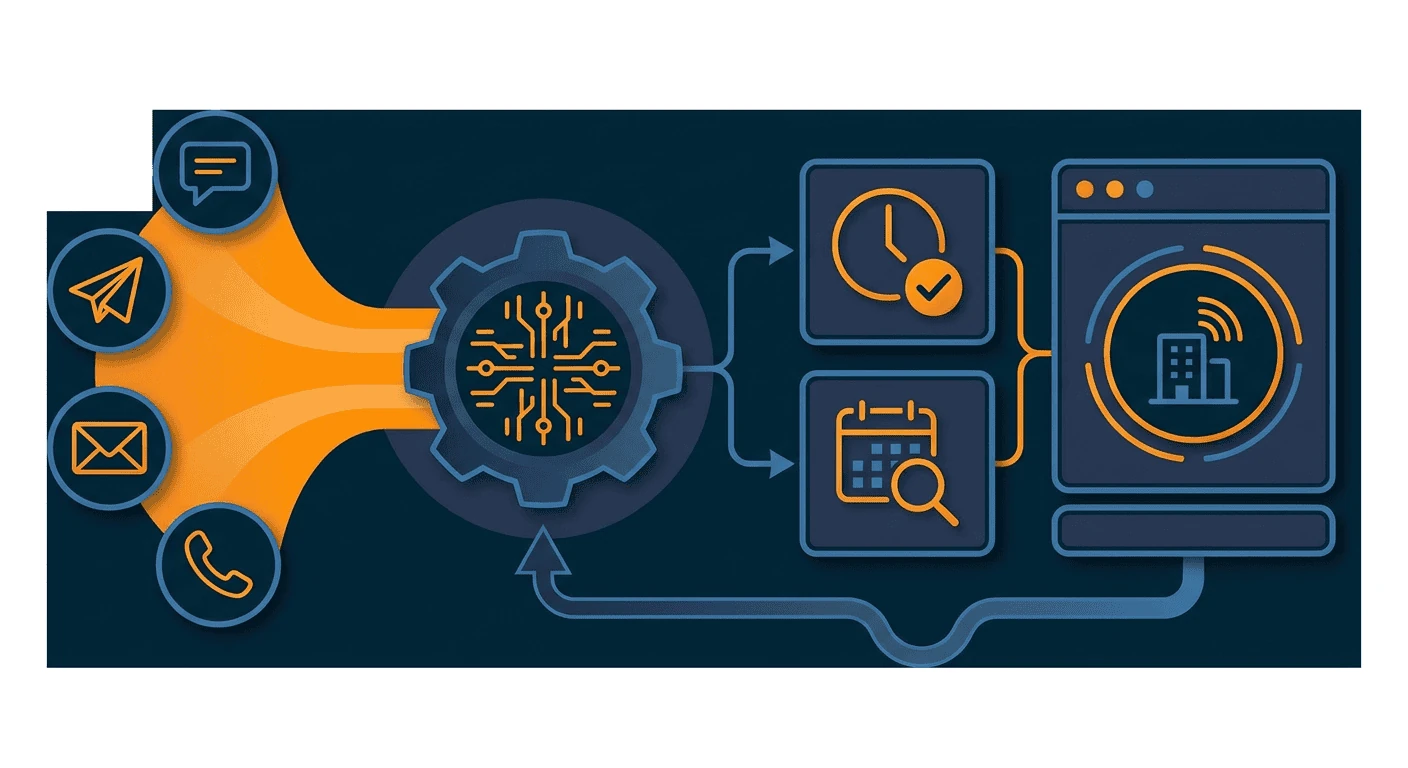
If your intake coordinator is overwhelmed, automation is not really about adding more software. It is about protecting response time, tightening follow-up, and keeping qualified ABA inquiries from slipping through the cracks. Done well, ABA intake automation helps practices save cases, protect billable hours, and give families a more consistent first experience without removing human judgment from the moments that matter.
For many ABA practices, intake pressure builds quietly before it becomes obvious. A few missed callbacks here. A few incomplete referral packets there. Some after-hours inquiries that sit until morning. Over time, the pattern gets expensive. Owners and clinical leaders are not just dealing with admin strain. They are dealing with lost evaluations, slower enrollment, and marketing dollars that are not converting the way they should.
This page is for ABA operators who need a practical answer: when automation makes sense, what it should handle first, and where a live person still needs to step in. The goal is not generic tech hype. The goal is a HIPAA-compliant, scalable system that helps your team move faster without losing trust.
Quick Answer and Key Facts
ABA intake automation uses structured workflows, routing rules, forms, reminders, and reporting to move inquiries, referrals, authorizations, and scheduling tasks forward with less manual drag.
At its best, it gives intake teams more control over the front end of growth. It can shorten response time, reduce follow-up gaps, improve data capture, and make it easier to see where cases are stalling. What it should not do is replace clinical judgment, sensitive conversations, or the reassurance families sometimes need from a real person.
Quick Summary
ABA intake automation matters most when missed follow-up is costing your practice evaluations, billable hours, and staff capacity.
After-hours capture matters because families often move on when response is delayed.
First-response speed affects conversion, not just convenience.
The best systems automate repeatable admin work and escalate high-trust moments to a person quickly.
HIPAA-compliant workflow design is a non-negotiable part of intake automation.
Reporting should show whether more inquiries are becoming booked consults, completed packets, and scheduled evaluations.
Why ABA Intake Coordinators Get Overwhelmed
Most intake coordinators do not become overwhelmed because one thing broke. They get overloaded because several operational pressures stack up at once. Inquiry volume rises. Referral sources become more active. A new location opens. Follow-up demands become less predictable. On paper, that can look like healthy growth. In practice, the person at the center of intake is trying to hold together calls, web forms, referral packets, insurance questions, benefits checks, authorizations, scheduling requests, reminder follow-up, and internal handoffs.
The work is uneven, which is part of what makes it hard to manage manually. Some days are quiet. Other days bring voicemail cleanup, incomplete documentation, urgent family questions, and a long list of loose ends that all feel important. When the process depends too heavily on memory, inboxes, and whoever is available in the moment, small delays start to pile up.
For owners, operators, and clinical directors, the downstream impact is serious. Lost evaluations mean delayed revenue. Slow intake means wasted ad spend. Weak follow-up creates a poor first impression before services even begin. Staff burnout grows because the team feels reactive all day, but the pipeline still does not move cleanly.
A strong intake process has to do two things at the same time: move quickly and stay accurate. If your team is still tightening the fundamentals, it helps to review what good ABA intake looks like and why speed to lead matters for ABA therapy practices. Those two issues usually sit underneath coordinator overload.
Where Manual Intake Leaks Cases
Manual intake rarely fails in one dramatic moment. More often, it leaks cases in small, repeated stages.
The first leak often happens right at initial contact. An inquiry comes in after hours, lands in a voicemail box or shared inbox, and sits too long. By the time someone follows up, the family may already be talking to another provider.
The next leak is incomplete information. Referral packets, insurance details, diagnosis documents, and contact information often arrive in pieces. Without a structured process for collecting what is missing, staff end up chasing the same basics over and over instead of moving viable cases forward.
Another weak point shows up when fit and coverage are checked too late. A clinic may spend days in back-and-forth only to learn the family is outside the service area, the referral is incomplete, or the coverage situation is not aligned. That drains staff capacity and slows down better-fit opportunities.
Scheduling is another common bottleneck. When no one clearly owns the next step, consults and evaluations sit in limbo. Reminder cadence gets inconsistent. The family may still want services, but from their point of view the process feels uncertain. From leadership’s point of view, it becomes hard to see where momentum was lost.
That is why operators need to watch practical signals, not just raw lead volume. Response time, incomplete-packet rate, consult-booked rate, evaluation-scheduled rate, and saved-cases impact all tell a clearer story. If those numbers are unstable, the intake process is not just busy. It is leaking opportunities.
For more context on the cost of stalled movement, see the cost of an empty ABA session slot and how to measure ABA therapy marketing results. Both help connect intake friction to growth performance.
The SAVE Cases Loop
The SAVE Cases Loop is a practical way to evaluate ABA intake automation. It is not a slogan. It is a decision framework that helps you figure out what is actually breaking, what can be automated safely, and how to tell whether the changes are saving cases.
S: Surface the Leaks
Start by mapping the intake path from first inquiry to scheduled evaluation. Look at where calls, forms, referrals, benefits checks, authorizations, and scheduling requests tend to stall. If you skip this step and jump straight to software, you risk automating confusion instead of solving it.
For some clinics, the real issue is after-hours lead loss. For others, it is incomplete documentation, unclear ownership, or inconsistent handoffs between intake and scheduling. The point is to identify the actual conversion bottleneck before you start comparing tools.
A: Automate the Repeatables
Once the leaks are visible, automate the tasks that are repetitive, rules-based, and low judgment. That often includes first-response routing, reminder sequences, form collection, status updates, and basic scheduling prompts.
These are the jobs that quietly eat staff capacity when they are handled manually. They matter, but they usually do not require deep interpretation. Automation works best when it removes repetitive admin burden so your team can focus on the conversations and decisions that need context, reassurance, and trust.
V: Verify Fit and Coverage Early
A stronger intake process checks key fit factors earlier. That may include referral completeness, service-area fit, insurance alignment, and whether the family is ready for the next operational step.
Early verification prevents clinics from spending days on back-and-forth that could have been resolved up front. It also creates a clearer experience for families who are already trying to navigate a stressful process. This is not about clinical triage or making promises about coverage. It is about moving the right operational questions earlier so staff time is used more effectively.
E: Escalate Human Moments Fast
Not every step should be automated. Some moments need a person right away. Emotionally charged questions, complex scheduling issues, PHI-sensitive clarifications, and exceptions that require judgment should not get buried inside a workflow.
The handoff has to be clear before the system goes live. Who takes over? How fast? What context do they receive? Human escalation speed matters just as much as automation speed because a slow handoff can erase the benefit of a well-built workflow.
Loop: Log Outcomes and Learn
Automation should create visibility, not another black box. Leadership needs a simple performance view that tracks response time, consult-booked rate, incomplete-packet rate, evaluation-scheduled rate, and saved-cases impact over time.
If reminders are going out but consult-booked rates stay flat, the issue may be qualification, handoff ownership, or messaging rather than volume. If evaluations rise after after-hours routing improves, that is a meaningful operational signal. For a useful way to think about return on investment, Minimal Viable ROI Machine is a strong companion resource.
What to Look for in an ABA Intake Automation System
The right ABA intake automation system should help your team move work forward with clarity and accountability. It should not just give you another dashboard.
Look for capabilities that support the real intake path:
- First-response speed and routing: Inquiries should reach the right queue or person quickly.
- After-hours capture: Nights and weekends should not become dead zones for follow-up.
- Referral and document collection: Forms, packets, and supporting documents should move through a consistent process.
- Insurance-verification workflow support: Staff should be able to move benefits-related steps forward without relying on memory or scattered notes.
- Consult and evaluation scheduling support: The next step should be visible, tracked, and owned.
- Reminder cadence: Families and staff should get the right nudges at the right stage.
- Escalation rules: The system should define when a live person needs to step in.
- CRM or practice-management integration: Disconnected tools usually create more leakage, not less.
- Reporting visibility: Leaders should be able to see where cases stall.
- Audit trail quality: Teams need a usable record of what happened, when it happened, and who owns the next move.
Smaller clinics often need simplicity, fast setup, and a workflow that reduces chaos without adding heavy process overhead. Multi-site groups usually need stronger accountability, more consistent handoffs across locations, and reporting that makes performance gaps easier to spot.
If you are evaluating workflow integration rather than a full platform change, marketing automation for inbound leads with Zapier is a useful example of how automation logic can support follow-up without duplicating manual work.
Compliance, Human Handoff, and Operational Safeguards
ABA intake automation only works when trust is built into the workflow. That starts with HIPAA-compliant lead capture, clear protection of PHI, defined ownership at each handoff, and visibility into when automation failed, stalled, or produced an exception.
The operational reality is simple. ABA intake requires both speed and sensitivity. Families may need a prompt response, but prompt should not mean careless. The U.S. Department of Health and Human Services outlines the baseline for HIPAA requirements, and any intake workflow, form tool, messaging process, or automation layer should align with those expectations.
There are important boundaries here. Automation should not give clinical advice. It should not imply medical outcomes. It should not suggest that software alone will fix a growth problem. Battle-tested systems support the team, but they do not replace process ownership, staffing decisions, or sound operational leadership.
For a closer look at the marketing and workflow side of privacy, what HIPAA-compliant marketing means for ABA therapy practices is a useful reference. It reinforces an important point: compliance has to be built into the system from the beginning.
ABA Intake Automation Readiness + Vendor Comparison Matrix
Before a clinic commits to a new tool, it should pressure-test the workflow it is trying to improve. That is where an ABA Intake Automation Readiness + Vendor Comparison Matrix becomes valuable.
Use the matrix with these columns:
- Current bottleneck: Where is the process slowing down or dropping cases?
- Task to automate: What repeatable step could be handled by a workflow or rule?
- Human owner: Who is responsible when the process needs review or escalation?
- Required integration: What system has to connect for the workflow to work in real operations?
- HIPAA / PHI sensitivity: What privacy risk needs to be considered at this step?
- Family-experience impact: Will this change make the process clearer, faster, or less frustrating?
- Implementation risk: What could break during rollout?
- KPI to watch: What metric will show whether the change worked?
- Vendor proof question: What does the vendor need to demonstrate during evaluation?
This matrix is especially useful before vendor demos, during internal process reviews, and when a practice is deciding whether a workflow fix is enough or a platform change is actually needed. It keeps the conversation anchored in operational reality instead of vague feature lists.
FAQ
What is ABA intake automation?
ABA intake automation is a structured way to use forms, routing, reminders, status updates, and reporting to move inquiries and referrals through intake more consistently. It is meant to support follow-up, document collection, and scheduling, not replace human judgment.
How can ABA clinics benefit from automated intake processes?
ABA clinics can reduce admin burden, respond faster, improve follow-up consistency, and move more qualified inquiries toward consults or evaluations. The biggest benefit is not convenience alone. It is better use of staff capacity and fewer avoidable case losses.
What features should an ABA intake automation system include?
A strong system should support fast routing, after-hours capture, document collection, insurance-verification workflow support, scheduling support, reminder cadence, escalation rules, integration with core systems, reporting visibility, and a clear audit trail. Forms matter, but accountability and handoff design matter just as much.
How does ABA intake automation improve client onboarding?
It improves onboarding by making the process faster, clearer, and more consistent. Families get next steps sooner, staff spend less time chasing missing information, and leadership gets better visibility into where delays are happening. That reduces avoidable friction before services begin.
How can ABA clinics reduce missed intake calls or referral leakage?
Most clinics improve this by strengthening after-hours capture, speeding up first-response routing, standardizing reminders, and making next-step ownership explicit. Reporting matters too, because leakage is hard to fix when no one can see where cases are being lost.
How do you keep ABA intake automation HIPAA compliant?
HIPAA compliance depends on the systems and workflows being used. Clinics need secure tools, appropriate access controls, privacy-aware follow-up processes, and clear review points for sensitive information. Compliance should be part of workflow design from the start, not added later.
If your intake coordinator is overwhelmed, the right next step is not to buy software blindly. It is to identify where cases are leaking, decide what should be automated first, and build handoffs that protect both speed and trust. That is the difference between a workflow that looks efficient and one that actually helps save more cases.